

L'équipe Texto SMS Gratuit
21 September 2026 · 13 min read
Introduction: three seconds in the sink
The phone was sitting on the edge of the worktop. One nudge of an elbow, a "plop", and there it is at the bottom of a sink full of soapy water. You fish it out in under three seconds. The screen still works, the sound is a little muffled, everything seems fine.
Forty-eight hours later, the device won't charge. The repair technician opens the casing and points to a greenish mark on the connector: corrosion. The phone didn't drown — it died slowly, after the fact, because nobody did anything while everything "seemed fine".
A waterlogged smartphone isn't just a device to replace. It's your line cut off, meaning your banking verification codes out of reach, your eSIM locked inside a handset that won't switch on, and sometimes photos that were never backed up. This guide covers the real timeline of those first few minutes, the counterproductive tips that have been circulating for fifteen years, what your IP68 rating actually promises, and what your carrier's insurance will — or won't — agree to cover.
What really kills a wet phone
Contrary to popular belief, pure water conducts electricity very poorly. What destroys a smartphone is almost always one of these three things:
- The immediate short circuit. Tap water, seawater, beer and pool water are loaded with salts and minerals: they conduct. If the device is powered on at the moment of immersion, traces that should never touch end up connected. Instant result: fried motherboard.
- Delayed corrosion. This is the silent killer. The residues left behind by the water (salt, chlorine, limescale, sugar from a soft drink) sit on the contacts and eat away at the copper for days. A phone that's "fine" on Monday can die on Thursday.
- Misapplied heat. Hairdryer, radiator, oven: you cook the lithium-ion battery and the adhesives holding the screen together, and you push the moisture deeper into the device instead of drawing it out.
Remember the hierarchy of liquids, from least to most aggressive: distilled water < tap water < chlorinated pool water < sugary drinks < seawater. Seawater is the worst: highly conductive on impact, and extremely corrosive afterwards.
Golden rule: the real danger isn't the three seconds spent in the water, it's the three days that follow. What you do in the first ten minutes determines whether corrosion sets in or not.
The first ten minutes: the exact timeline
1. Get it out and switch it off — properly
Retrieve the phone and switch it off immediately, using the button, without trying to check whether "it still works". Every second powered on is a second of potential short circuit.
If the device is already off or unresponsive: don't try to turn it back on. If a normal shutdown fails, force it (the button combination varies by model, but every phone has one).
2. Don't plug it in, don't charge it
This is the most common and most fatal mistake. Plugging a charger into a still-damp USB-C port sends current straight into a wet connector. Recent smartphones display a "liquid detected in connector" alert and block charging: don't try to override that alert, it's protecting you. And don't reach for wireless charging "since the port is wet" either — the device heats up and stays powered on.
3. Remove whatever comes out
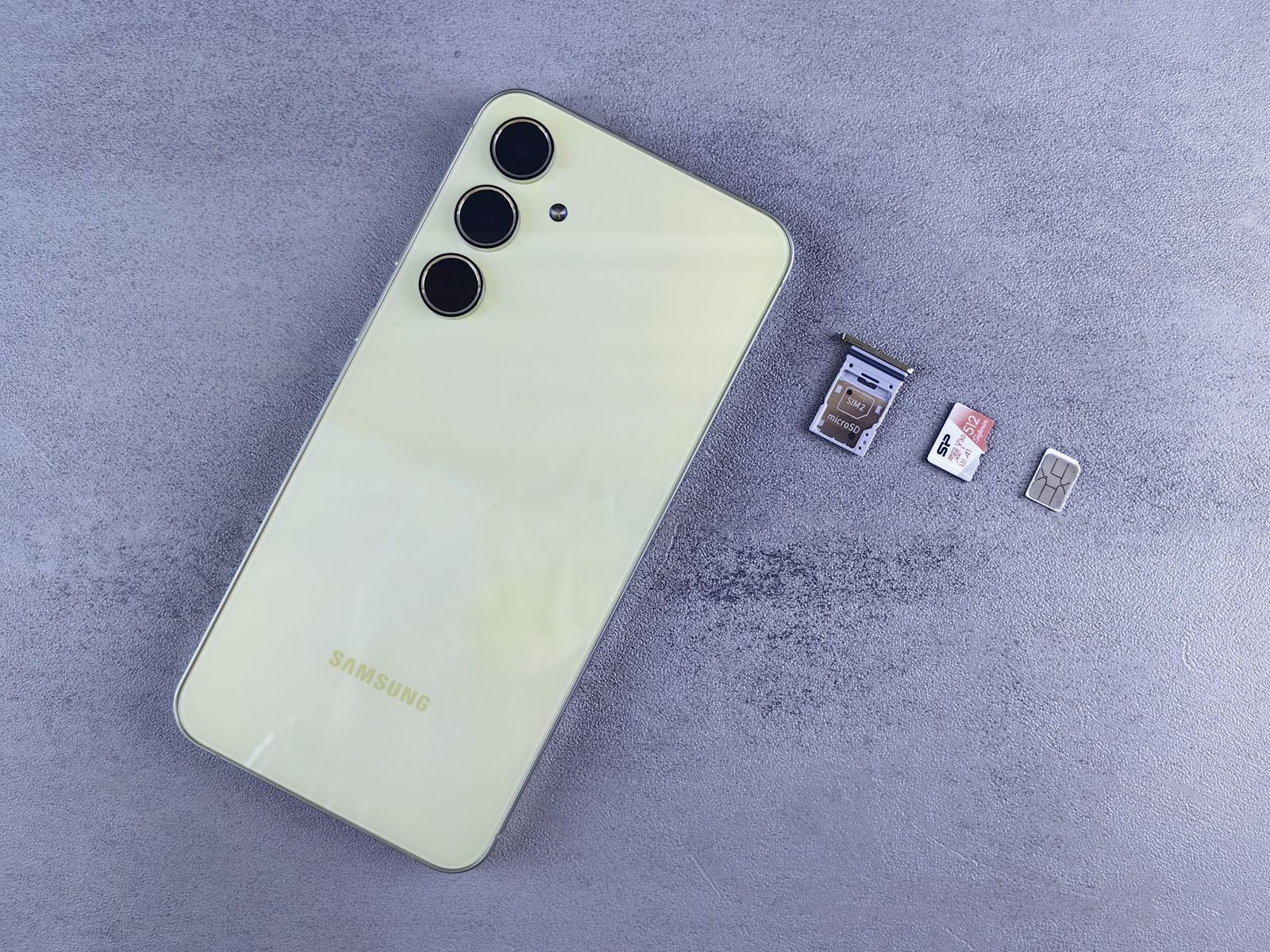
Take out the physical SIM card and the microSD card if there is one. Remove the case and the tempered glass protector: they trap water against the device for hours. If you have an eSIM, there's nothing to remove — just keep that in mind, it matters later.
4. Wipe it and point it downwards
Dry the outside with a clean absorbent cloth, dabbing rather than rubbing. Then hold the device with the charging port facing down and shake it gently up and down, several times, to clear water out of the cavities. Don't blow compressed air into it: you'll drive the droplets further inside.
5. Let it dry flat, in moving air
Lay the device flat, connectors down or on its edge, in a dry, ventilated room. A low-flow desk fan pointed at it is ideal: room-temperature air and movement, exactly what's needed. Allow 48 hours minimum before any attempt to switch it back on, 72 hours if the immersion was prolonged.
Apple explicitly recommends, for its own devices, leaving them to dry for at least 30 minutes before attempting to charge, and waiting up to 24 hours if the "liquid" alert persists. Treat these durations as a floor, not a target.
Rice: a stubborn myth that damages the device
Let's be clear: putting your phone in a bag of rice does no good whatsoever. Apple now advises against it in black and white in its support documentation.
Why it doesn't work:
- Uncooked rice absorbs very little ambient moisture, and absolutely none of the water trapped under a motherboard. A simple ventilated room dries just as fast, sometimes faster.
- Rice releases starch and dust that find their way into the charging port and the speaker. You swap a water problem for a debris problem.
- The gesture feels reassuring, so it delays the only useful action: opening up and cleaning if the immersion was serious.
What actually works are desiccants sold for electronics: a pack of silica gel sachets, in sufficient quantity, inside an airtight container. Silica gel captures residual moisture from the enclosed air and, unlike rice, leaves no residue. It's what you'll find in smartphone drying kits and in camera cases. But even then: desiccant helps with the final drying, it doesn't remove water trapped under components.
Three moves that finish off a phone
| What people often do | Why it's a bad idea |
|---|---|
| Drying with a hairdryer | Heat warps the seals, damages the battery and pushes water deeper |
| Placing it on a radiator | Same problem, with a risk of the lithium-ion battery swelling |
| Putting it in the freezer | Water freezes inside the device, then melts as it warms up: nothing is solved |
| Turning it on "just to check" | Re-energises contacts that are still damp: short circuit |
| Using compressed air | Blows droplets deeper into the cavities |
| Shaking it violently | Spreads liquid into areas that had been spared |
One case deserves a caveat: the speaker water-ejection functions built into smartwatches and available as a shortcut on some phones. They emit a low tone that vibrates the membrane and expels water from the grille. That's useful for muffled sound after a shower or a swim, provided the device is otherwise healthy. It is not a treatment for a drowning.
IP68: what the rating promises, and what it doesn't cover
Most high-end smartphones sold in France carry an IP68 rating under the international standard IEC/EN 60529. Translation:
- 6 = dust-tight (total protection).
- 8 = withstands continuous immersion beyond one metre, under conditions defined by the manufacturer — that's the key point.
Nobody reads those conditions. Yet they all look alike:
- Tests are conducted in fresh water, in a laboratory, in still water, at a controlled temperature, on a brand-new device.
- Neither seawater, nor chlorinated water, nor soap, nor coffee is covered.
- Dynamic pressure — a dive, a jet, a wave, a toilet flush — is not represented by the test.
- The hot steam of a shower passes through seals designed for cold water.
Above all: water resistance is not permanent. Seals age, adhesives fatigue, and a single drop on the floor is enough to create an invisible micro-crack. A three-year-old device no longer has the water resistance listed on its spec sheet. And if the screen or the back has already been replaced outside the manufacturer's network, the original seal is effectively gone.
Direct consequence: water damage is excluded from the legal warranty of conformity and from the manufacturer's warranty. Every manufacturer spells this out. The two-year legal warranty of conformity, provided for by the French consumer code, covers defects in the device — not the liquid you poured into it.
The moisture sticker, that little informant
Open a smartphone's SIM tray and shine a light inside: you'll often see a tiny white sticker. That's the liquid contact indicator. White means intact. Pink or red means it has seen water — and it's irreversible.
It's the first thing a technician checks. No point claiming the device "switched off on its own": the sticker speaks for you. You may as well state the truth up front — it steers the diagnosis and saves time.
Your line, your codes: the problem nobody plans for
A drowned phone isn't just an object. It's also:
- Your SIM or eSIM out of action. A physical SIM goes into an old handset in thirty seconds. An eSIM does not: the profile is locked inside a chip soldered into a device that won't turn on. You have to request a new profile from your carrier, and that request often involves authentication… on the very line in question.
- Your banking verification codes. With no line, no confirmation texts, no banking app able to authenticate.
- Your accounts protected by two-factor authentication. If the second factor is an app trapped inside the drowned phone, those backup codes you printed two years ago suddenly become very precious.
Hence two habits to adopt before the accident:
- Keep an old working smartphone in a drawer, charged at least once a quarter. That's your backup device: SIM in, line restored, for the duration of the repair.
- Store your account recovery codes somewhere other than the phone — a password manager accessible from a computer, or a sheet of paper in a folder.
If you use an eSIM, revisit our guide to activating and transferring a profile: the recovery procedure is the same as for a lost phone.
Mobile insurance: what's actually covered
Oxidation is one of the two most common claims, alongside a cracked screen. Many mobile insurance policies sold by carriers or retailers cover accidental liquid damage, but the terms matter far more than the brochure:
| Point to check | What often trips people up |
|---|---|
| Excess | Frequently €50 to €150 depending on the device's value |
| Claim deadline | Often 5 working days after the incident — that's tight |
| Number of claims | Capped per year, sometimes at a single accidental damage claim |
| Depreciation | Compensation based on current value, not purchase price |
| Replacement | Often with an equivalent refurbished device, not a new one |
| Supporting documents | Purchase invoice, IMEI, sometimes a quote from an approved repairer |
Before signing up, compare it with what you already have: some premium bank cards and some home multi-risk policies include "portable devices" cover. Paying twice for the same coverage is common.
And think about the economics: insurance at €8 a month with a €90 excess, on a €300 phone, amounts to insuring an item for most of its value. On a €1,200 device, the maths changes.
Repair or replace?
If the device doesn't restart after 48 to 72 hours of drying, there's still one card to play: an ultrasonic bath cleaning at a repair shop. The motherboard is removed, immersed in a solution that dissolves salt and corrosion residues, then dried. The success rate falls sharply with time elapsed: acting within 48 hours changes everything, while after a week oxidation has usually won.
Expect to pay roughly €60 to €150 for an oxidation cleaning, excluding parts. The repairer will also tell you honestly whether the motherboard is beyond saving.

Since 2021, the repairability index — gradually becoming a durability index — has been displayed on smartphones sold in France. It says nothing about water resistance, but a great deal about how easy the device is to take apart, and therefore about repair costs. A well-rated device will be cheaper to open up.
On the "repair or replace" question, our dedicated guide to screen and battery repair details the break-even thresholds. The logic is identical here: beyond 40% of the price of an equivalent refurbished unit, it's a close call.
Avoiding the next dunking
A few habits beat any rescue operation:
- At the seaside, by the pool, in a kayak or in driving rain, a waterproof smartphone pouch with a press seal costs a few euros and settles the matter. It's also the only serious protection against salt water.
- A reinforced case with raised edges isn't waterproof, but it cuts down on drops — and a drop means a micro-crack, which means lost water resistance.
- Back up your photos automatically. The irreversible loss is never the €600 device, it's the images. An external hard drive plugged in once a month, or cloud backup switched on, is enough.
- Keep a spare mains charger in the glovebox: after an incident, the first useful instinct is never to plug in, but the second one is.
In summary
- Switch it off immediately. Don't plug anything in, don't turn anything back on.
- Remove the SIM, case and tempered glass; wipe it down, point the connector downwards.
- Dry it for 48 to 72 hours in ventilated air, with no heat. Rice is useless.
- Immersion in seawater, sugary liquid or prolonged immersion: head to a repairer within 48 hours.
- Check your insurance and your claim deadline before throwing anything away.
- In the meantime, get your line working again on a backup device — and plan ahead for the eSIM scenario, since it doesn't transfer itself.
Water doesn't forgive hesitation. It is, however, fairly forgiving of ten minutes of the right moves.
Sources and references: standard IEC/EN 60529 (IP ratings), Apple support documentation on liquid detection, French consumer code (legal warranty of conformity, articles L217-3 et seq.), repairability and durability index — Ministry for the Ecological Transition.